

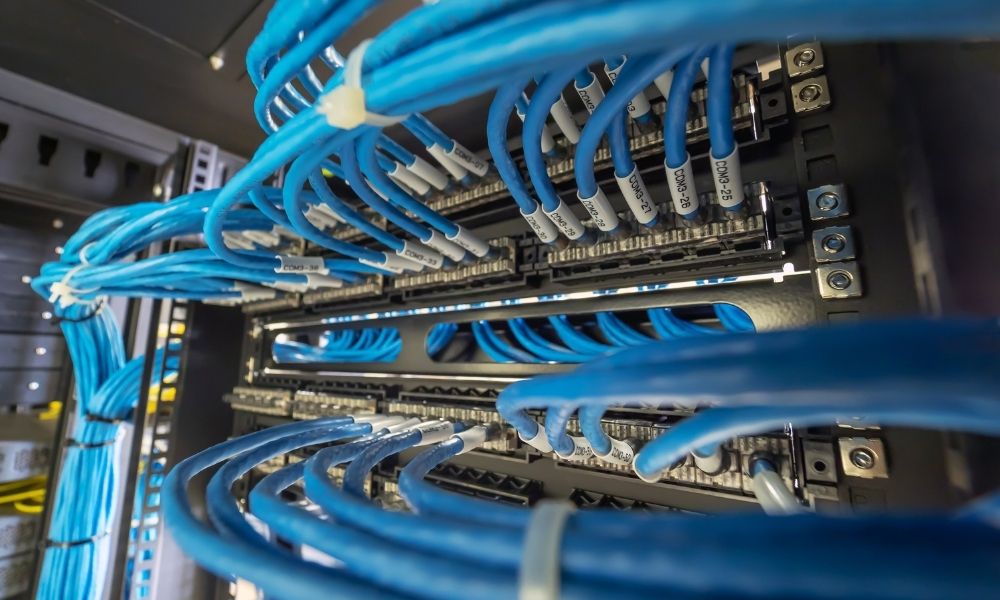
Your server room hums along quietly, so it is easy to assume the wiring is fine. Often it is not. Small cabling problems sit out of sight for months, then show up as slow speeds, dropped connections, or a late-night outage nobody can explain. The truth is that messy network cabling quietly drains performance and makes every repair harder. The good news is that the warning signs are easy to spot once you know them.
Here are seven cabling red flags that may be hiding in your server room right now, and how to fix each one.
Red Flag #1: Tangled & Unmanaged Cabling
Messy racks are the most visible red flag of all. Racks stuffed with tangled, unrouted cords slow you down and trap heat. It looks harmless, yet it quietly raises the cost of every future change.
The Damage
Disorder costs you in three ways:
- Longer downtime, since tracing one line in a nest of hundreds takes ages.
- Risky moves, adds, and changes, where pulling one cable dislodges another.
- Blocked airflow that traps heat and shortens hardware life.
- Higher risk of human error during repairs in a crowded rack.
Left unchecked, a single tangled rack can add hours to an outage that should take minutes.
Quick fix: Route cables along the rack, bundle them with reusable ties, and leave neat service loops.
Red Flag #2: Missing or Inconsistent Labels
Unlabelled cables are a silent time waster. When a port fails, a bare patch panel turns a two-minute job into an hour of tracing. Multiply that across a full rack, and a small fault becomes a long, frustrating hunt.
Why It Slows You Down
Without clear labels, every troubleshooting and audit becomes guesswork. As a result, simple fixes drag on, and small mistakes creep in. Auditors and new staff feel it most, since nothing on the rack tells them what connects where.
The Fix
Label both ends of every cable with machine-printed, wrap-around or heat-shrink markers. Tie those labels to one simple, written naming scheme. Consistency is what makes the scheme useful, so avoid mixing styles or skipping ends.
Red Flag #3: Mixed or Low-Grade Cable Categories
Mixing cable grades quietly throttles the whole network. One Cat5e cord in a Cat6a run drags every device on that link down to the slower speed. Your network runs only as fast as its weakest cable.
The Hidden Bottleneck
Damaged or non-rated cables cause the same harm, with random drops and errors that are hard to trace. Cables also age, so a run that worked years ago may no longer meet today’s speeds.
Quick fix: Standardize on one category per run, and replace any low-grade or damaged cable you find.
Red Flag #4: Data Cables Running Beside Power Lines
Data and power lines should never share a long, tight path. Power cables throw off electromagnetic interference, or EMI, that scrambles the signal beside them. Even a short shared tray can cause trouble on a busy circuit.
How EMI Hurts
The interference shows up as real, daily problems:
- Slow or flaky connections that come and go without warning.
- Corrupted file transfers and repeated packet loss.
- Random drops that look like hardware faults but trace back to wiring.
These faults are easy to blame on hardware, which sends teams chasing the wrong fix.
Quick fix: Keep data at least 50 mm from power lines, and cross them at right angles where they must meet. Shielded cable helps in tight spots, though distance is the simplest defence. Even a few centimetres of separation prevents most everyday interference.
Red Flag #5: Cable Runs Over the 100 Metre Limit
Copper Ethernet has a hard ceiling of 100 metres per run. Push past it, and the signal fades, bringing latency spikes, packet loss, and dropouts in far corners. That ceiling covers the whole channel, including the patch cords at each end.
How to Stay Within Spec
For longer distances, break the run with a switch or move to fibre for the backbone. This means remote areas stay fast and steady instead of limping along.
Plan the layout so no single run has to stretch too far in the first place. Mark Long runs on your floor plan as well.
Red Flag #6: Poor Terminations and No Certification
Blinking link lights are a weak proof that a cable is healthy. Bad terminations and untested runs hide faults that only surface under real load.
What Goes Wrong
Loose or miswired ends cut speed and drop links. In addition, near-end crosstalk can corrupt data on busy lines, while borderline cables pass a glance yet fail under traffic. None of these shows up on a casual look, which is what makes them dangerous.
The Fix
Certify every run with a proper cable tester, since a link light shows a connection exists, yet says nothing about real performance. Keep the certification report on file, as it doubles as proof for audits and warranties. It is the only way to know a run truly meets its rated speed.
Red Flag #7: No Room to Grow
Cabling only for today’s ports is a trap. The moment you add a few devices, an overcrowded rack forces messy, risky rework. Networks only grow, so today’s tidy rack becomes tomorrow’s bottleneck without a buffer.
The Cost of No Headroom
Tight trays and packed racks bring their own problems:
- Trapped heat that ages the nearby gear faster.
- Crushed or bent cables that fail early.
- Costly upgrades and downtime when you outgrow the space.
Building in spare capacity early is far cheaper than ripping cabling out later.
Quick fix: Install extra ports, leave slack in trays, and plan capacity well beyond current needs.
Quick Server Room Cabling Checklist
Walk your server room with this quick network cabling checklist:
- Is everything organized, colour-coded, and routed cleanly?
- Are all cables labelled at both ends?
- Are categories matched, with no Cat5e mixed into Cat6a runs?
- Are power and data separated, and runs under 100 metres?
- Were terminations tested and certified?
- Is there clear room for future growth?
Any no on this list is a red flag worth fixing before it bites.
Bottom Line
These seven red flags are common, quiet, and very fixable. Left alone, sloppy network cabling drags down speed, safety, and uptime, while a clean setup does the opposite. Walk your server room with the checklist above, fix what you find, and you turn a hidden liability into a reliable backbone. The payoff is real: faster connections, cooler racks, simpler troubleshooting, and fewer surprise outages. None of this needs a full rebuild, since most fixes are quick once the problem is visible.
Spotting these red flags is one thing; fixing them cleanly is another. IT-Solutions.CA designs and installs structured cabling that clears every item on this list, with tidy rack management, both ends labelled, and the right Cat6, Cat6a, or fibre for the job.
Better still, every run is professionally terminated, tested, and certified, with extra capacity built in for growth. Book an on-site assessment with IT-Solutions.CA, and turn a risky server room into one you never have to think about.